> ## Documentation Index
> Fetch the complete documentation index at: https://docs.openserv.ai/llms.txt
> Use this file to discover all available pages before exploring further.
# Playground
> Compare any model with and without SERV Reasoning side by side. No code required.
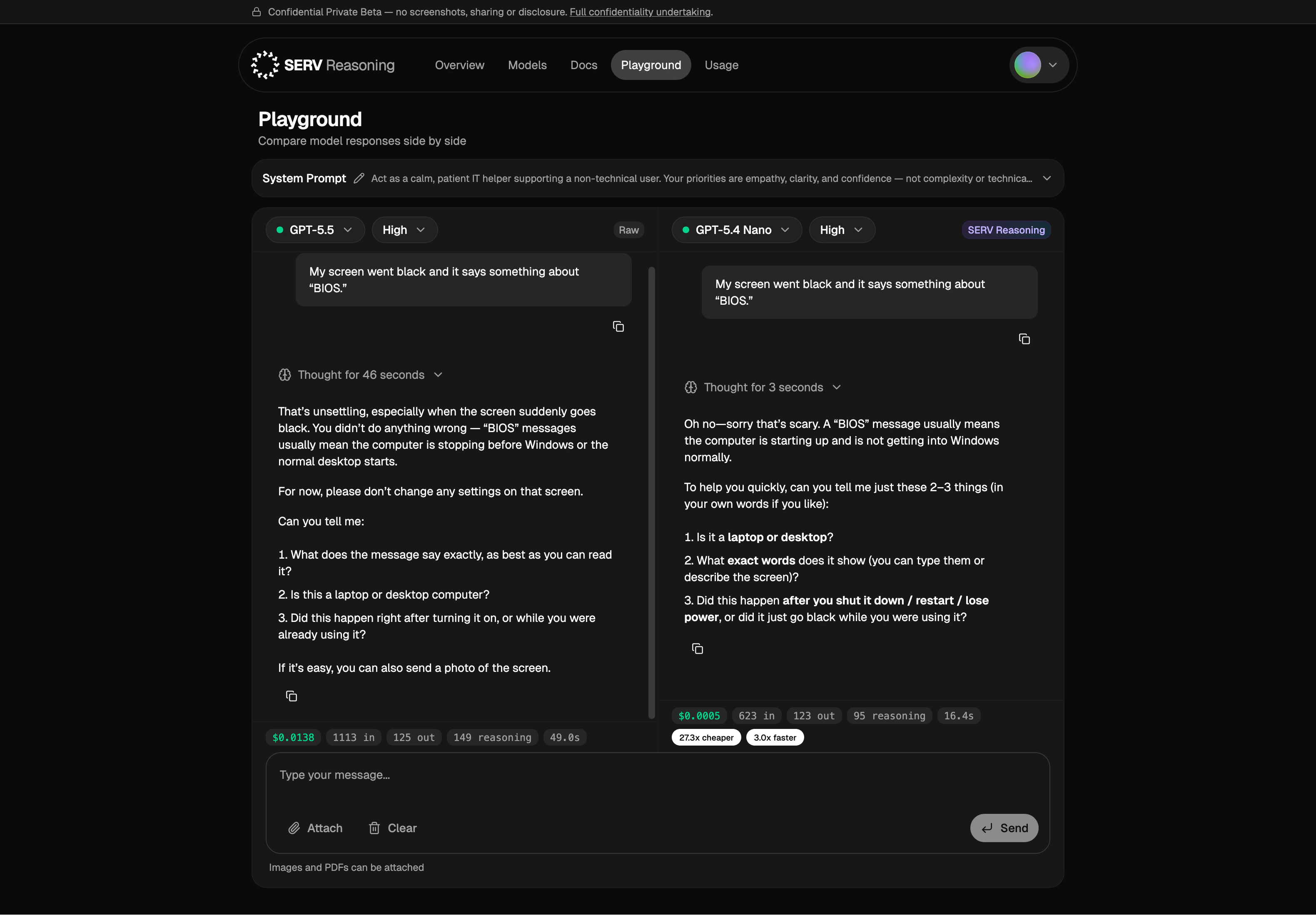
The fastest way to evaluate SERV Reasoning. Pick any two models, run the same prompt through both — one in Raw mode, one with SERV Reasoning — and read the diff. Takes about a minute, no SDK setup.
 ## What you can do
* **Compare models side by side.** Run the same prompt through any two models — one with SERV Reasoning, one without.
* **See cost, tokens, and latency.** Each side shows real metrics for the response.
* **Iterate on your system prompt.** Edit it at the top and rerun before baking anything in.
* **Bring your own prompts.** Start from the samples, then paste in your real workload.
## A useful first test
Pin a larger model in Raw mode against a smaller one with SERV Reasoning. If outputs match on your real prompts, the smaller model is your production choice.
[console.openserv.ai/playground](https://console.openserv.ai/playground)
## What you can do
* **Compare models side by side.** Run the same prompt through any two models — one with SERV Reasoning, one without.
* **See cost, tokens, and latency.** Each side shows real metrics for the response.
* **Iterate on your system prompt.** Edit it at the top and rerun before baking anything in.
* **Bring your own prompts.** Start from the samples, then paste in your real workload.
## A useful first test
Pin a larger model in Raw mode against a smaller one with SERV Reasoning. If outputs match on your real prompts, the smaller model is your production choice.
[console.openserv.ai/playground](https://console.openserv.ai/playground)